
How to Fit a Smart Plug and Cut Standby Costs: A Beginner's Guide
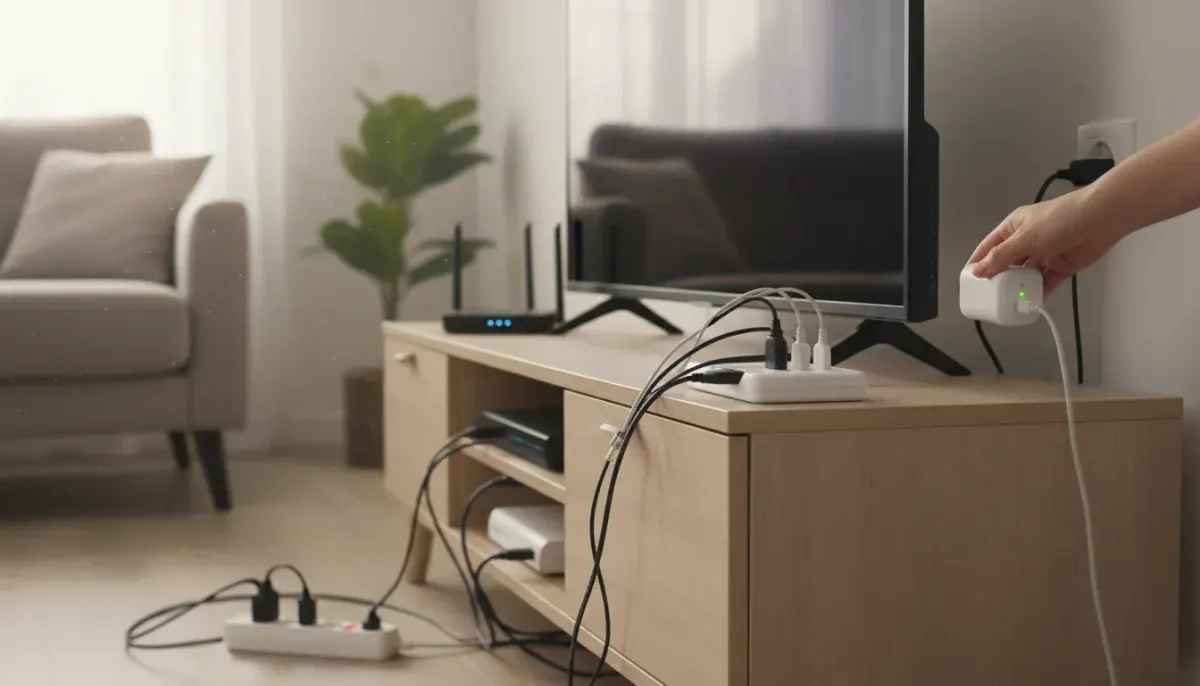
Switch the telly off with the remote and it still isn't truly off. Games consoles, set-top boxes, printers and chargers often keep sipping small amounts of power all day and night. A smart plug is one of the simplest ways to deal with it, and fitting one is about as gentle as electrical DIY gets: no tools, no wiring and no need to open anything up.
What a smart plug actually does
A smart plug sits between a standard three-pin wall socket and your appliance. It connects to your home Wi-Fi, which lets you switch the appliance on or off from your phone, with a timer or through a voice assistant. Some models also measure how much electricity the connected device uses, which helps you see where your money is going.
It is also an easy first step into home automation. You can start with one plug and add more once you see how it works.
Why standby power adds up
Standby power is the electricity a device uses while it is plugged in but not doing its main job. It covers the little red light, the clock display and the circuitry waiting for a remote signal. Each device uses only a small amount, but they run around the clock and there are often a dozen or more in a typical home.
As a simple illustration, using an assumed figure rather than a measurement: a device that draws 5 watts on standby uses about 44 kWh over a year (5 W × 24 hours × 365 days). At an example price of 25p per kWh, that is roughly £11. Multiply that across several devices and the saving is worth having. Your own figures will differ, so check your tariff and, if your plug has monitoring, your real readings.
What you will need
- A smart plug rated for the appliance you want to control (check the label for the maximum current)
- A smartphone or tablet
- A home Wi-Fi network (many smart plugs only work on the 2.4GHz band, so check the instructions)
- A free wall socket within good Wi-Fi range
How to fit a smart plug: step by step
- Check the socket. Make sure it is undamaged, firmly fixed to the wall and not warm or discoloured. If anything looks wrong, don't use it.
- Check the ratings. Compare the plug's maximum rating with the appliance's power rating, which is usually printed on its label or plate.
- Install the app. Download the manufacturer's app and create an account if it asks for one.
- Plug it in. Push the smart plug into the wall socket and switch the socket on. Most plugs flash a light to show they are ready to pair.
- Pair with your Wi-Fi. Follow the in-app prompts to connect the plug to your network. Stay close to the router for this step.
- Name it. Give it a clear label such as "TV" or "Desk", which makes voice commands and schedules much easier.
- Test it with a lamp. Before connecting anything valuable, plug in a lamp and check that you can switch it on and off from the app.
- Connect your appliance. Once the test works, plug your chosen device into the smart plug.
Setting it up to save electricity
Use schedules
Set the plug to cut power overnight or while you are at work. A television setup, for example, could switch off at 11pm and back on at 6pm.
Try energy monitoring
If your plug reports usage, leave it on a device for a week and see what it draws. That tells you whether the device is worth scheduling.
Group devices
A smart plug controls only what is plugged into it, so a multi-socket extension lead can let one plug control several items, such as a TV, console and soundbar. Check that the total load stays within the smart plug's rating, and never link extension leads together.
Where it works well, and where to avoid it
Good candidates include televisions and their accessories, games consoles, desktop computer setups, printers and phone charging stations. Some devices may take longer to start up or need to stay on for updates, so test them first.
Don't use a smart plug on:
- Fridges and freezers, which need constant power
- Medical equipment or anything safety-critical
- Heaters or other high-wattage appliances that could be left running unattended
- Anything that exceeds the plug's stated rating
Safety notes
- Buy from a reputable brand and look for UK-suitable plugs and appropriate safety markings.
- Keep smart plugs dry and indoors unless they are specifically rated for outdoor use.
- Stop using any plug that gets noticeably hot, smells odd or looks damaged.
- Leave fixed wiring, such as hardwired smart switches, to a qualified elect